
Desk Setup Tips for Enhanced Focus and Comfort
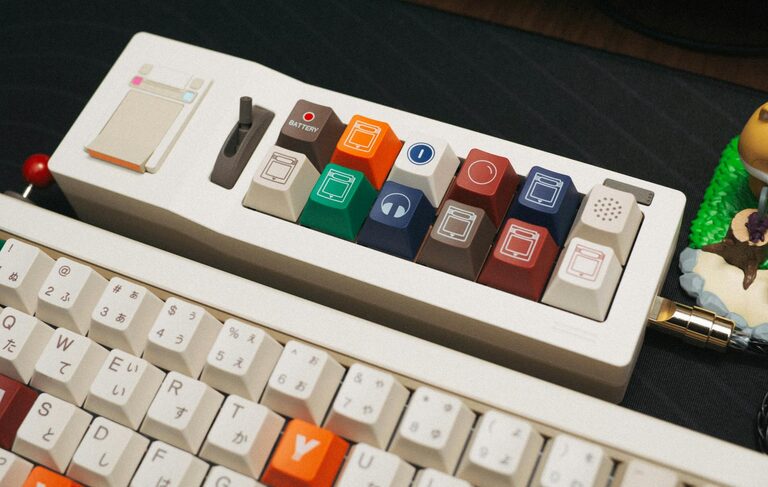
Creating a workspace that promotes both focus and comfort is essential for productivity and overall well-being. Whether you work from home or in an office, your desk setup can significantly influence your concentration levels and physical comfort. This guide offers detailed tips to help you optimize your desk for a more efficient and enjoyable work experience.
Why a Good Desk Setup Matters
A thoughtfully arranged workspace reduces distractions and physical strain, allowing you to work longer and more efficiently. Poor setups can lead to discomfort, fatigue, or even long-term health issues like back pain and eye strain. Investing time in setting up your desk properly can improve your mood, energy, and output.
Choosing the Right Desk and Chair
Selecting Your Desk
– Size and Surface: Opt for a desk with enough surface area to hold your computer, documents, and essential tools, while leaving space to work comfortably.
– Adjustable Height: Consider a desk that allows height adjustments. Alternating between sitting and standing can reduce fatigue and boost circulation.
– Storage Options: Built-in drawers or shelves help keep your workspace tidy, reducing clutter and mental distractions.
Finding a Comfortable Chair
– Ergonomic Design: Choose a chair that supports the natural curve of your spine. Adjustable lumbar support is a plus.
– Height Adjustability: Your feet should rest flat on the floor with knees at a 90-degree angle.
– Armrests: Adjustable armrests help reduce shoulder tension if they’re positioned correctly.
Monitor Placement for Eye Comfort and Focus
– Screen Height: Position your monitor so the top of the screen is at or slightly below eye level to avoid neck strain.
– Distance: Place the monitor about an arm’s length away to prevent eye strain.
– Multiple Screens: Use monitor stands or arms to arrange multiple screens ergonomically, minimizing head and eye movement.
Keyboard and Mouse Setup
– Placement: Keep your keyboard and mouse close and at a height where your elbows are bent at roughly 90 degrees.
– Wrist Support: Consider cushioned wrist rests to avoid strain.
– Quality Tools: Invest in ergonomic keyboards and mice designed to reduce repetitive strain injuries.
Organizing for Efficiency
Desk Organization Tips
– Keep Essentials Handy: Store frequently used items within easy reach.
– Declutter Regularly: Remove non-essential items to maintain focus.
– Use Organizers: Desk trays, drawer dividers, and pen holders help keep everything in its place.
– Cable Management: Use clips or sleeves to reduce cable clutter, preventing distractions and potential hazards.
Digital Organization
– Clean Desktop: Limit the number of icons on your computer desktop to reduce visual clutter.
– Task Lists: Use digital tools or physical planners to keep track of to-dos and deadlines.
Lighting Your Workspace
– Natural Light: Position your desk near a window to benefit from daylight, which can improve mood and alertness.
– Task Lighting: Use adjustable desk lamps to provide focused light without glare.
– Avoid Screen Glare: Position screens perpendicular to windows or use curtains to reduce reflections.
Adding Comfort and Personal Touches
– Footrests: Use a footrest if your feet don’t sit comfortably on the floor.
– Temperature Control: Use fans or heaters as needed to keep your space comfortable.
– Plants: Adding greenery can boost mood and reduce stress.
– Personal Items: A few meaningful photos or decorations create a pleasant environment without overwhelming your space.
Taking Regular Breaks and Movement
Even with a perfect setup, your body benefits from movement.
– Follow the 20-20-20 Rule: Every 20 minutes, look at something 20 feet away for 20 seconds to rest your eyes.
– Stretching: Take short breaks to stretch your neck, back, and wrists to avoid stiffness.
– Walk Around: Stand up and move regularly, especially if using a sit-stand desk.
Maintaining Your Workspace
Keeping your desk clean and organized requires ongoing effort.
– End-of-Day Routine: Spend a few minutes tidying your desk before finishing work.
– Weekly Deep Clean: Wipe surfaces and clean your keyboard and mouse to prevent germs.
– Review Setup: Periodically assess your setup for any adjustments that could improve comfort or productivity.
—
Optimizing your desk setup can transform your work experience by enhancing focus and reducing discomfort. Start with these practical tips to build a workspace tailored to your needs and enjoy a more productive, comfortable day.